
L1 IT Service Desk Challenges

Routine work moves faster than you can hire.

Password resets, access requests, and status checks consume L1 capacity even when the path to resolution is already well understood. Chat can absorb some demand, but requests submitted through forms and email still enter the queue and require someone to handle them.

Challenges include:
Icon-Vulnerable Infrastructure

Volume outpaces capacity

Requests submitted through forms and email enter the queue directly, leaving L1 teams to handle each one from the beginning.

Icon-Lost Productivity

Forms and email bypass self-service

Requests submitted through forms and email enter the queue directly, leaving L1 teams to handle each one from the beginning.

Icon-Integration

Automation stops short of resolution

Traditional task automation handles individual actions, while L1 work often requires investigation, execution, communication, and documentation.

Icon-End-to-End support-2

Autonomy needs clear boundaries

Permissions, confidence thresholds, and escalation paths define where an AI specialist can act independently and when a person should take over.

Gartner projects that 80% of common service issues could be resolved autonomously by 2029. The organizations that benefit most are building their foundations today.

AI Agents vs. AI Specialists in ServiceNow

Choose the right level of autonomy for the work.

AI agents and AI specialists are designed for different types of work. CoreX evaluates the workflow, complexity, and risk to determine which approach fits each use case and where human involvement should remain.


Screenshot 2026-08-19 at 1.41.55 PM
Screenshot 2026-08-19 at 1.40.14 PM

HOW Servicenow AI Agents and Specialists Operate

They take on work, not just conversations.

AI specialists can take assigned work directly from the queue, investigate it, act, and move it toward resolution. That extends AI beyond conversational channels to the forms, emails, and other requests that already enter the service desk.

The Workflow

1. Assigned

Work reaches the AI Specialist through your existing assignment rules or Advanced Work Assignment, following the same routing logic used across the service desk.

2. Grounded

The specialist uses relevant context, including similar resolved incidents, knowledge articles, and known error records, to determine how to proceed.

3. Scored
Confidence thresholds determine when the specialist can act and when the work should return to a person.
4. Acted

The specialist uses approved tools to complete the appropriate action and communicates with the employee in the language of the original request.


5. Measured

The AI Specialist’s actions are documented along with the rest of the team’s work, with performance tracked through the same dashboards you already use to monitor service delivery.

L1 Service Desk AI Specialist: Ticket Walkthrough

Guidance from assignment to resolution.

The AI Specialist receives the incident, investigates the issue, determines the appropriate action, and moves the ticket toward resolution. If confidence falls below your defined threshold, the work returns to a person with the specialist’s analysis and context already captured.

1. It picks up the work.

Incidents and requests arrive through the channels employees already use, including portal forms and email, with no separate AI experience required.


2. It researches.

The specialist uses similar resolved incidents, knowledge, and known error records to determine a course of action and assess its confidence before proceeding.

3. It acts.

Using approved tools, the specialist carries out the appropriate fix and documents its actions along the way.

4. It escalates.

If confidence is too low, the work returns to the assignment group with the specialist’s research and context already captured.

Benefits of an Autonomous Workforce: Time, Cost & Experience

More capacity. Measurable ROI.

AI Specialists can absorb additional volume as demand grows, increasing service desk capacity while lowering cost per resolution and freeing experienced teams to focus on work that requires human judgment and expertise.

stat-card-1-autonomous-resolution-900x600@2x (1)

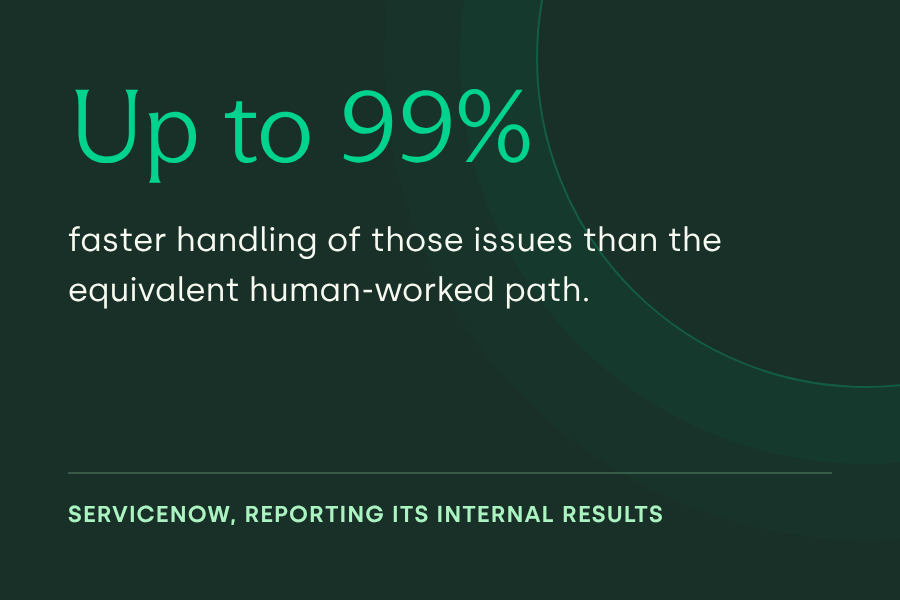
stat-card-2-faster-handling-900x600@2x

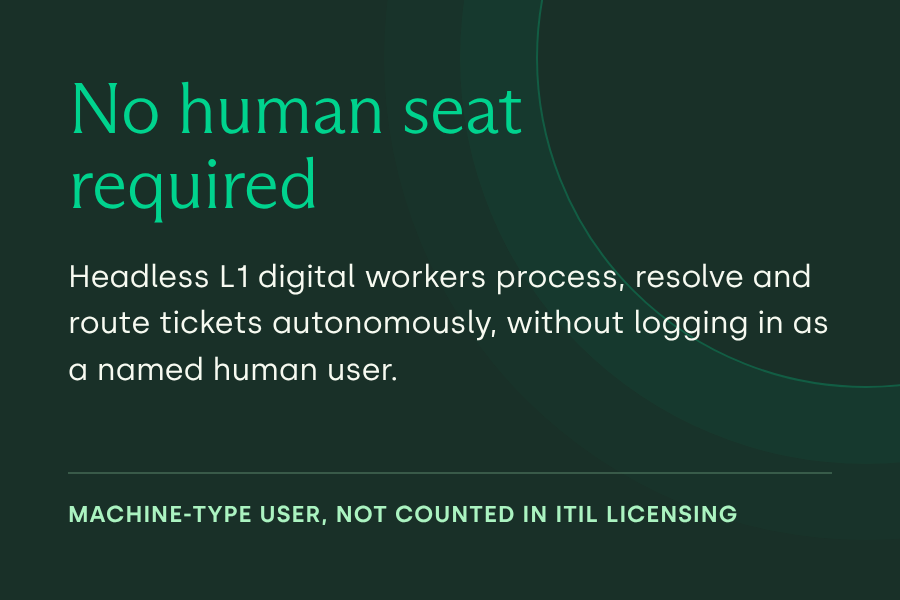
stat-card-3-no-human-seat-required-900x600@2x

Gain Time Back

Work can begin as soon as a record is created, reducing queue time and extending service beyond normal support hours.


Reduce Costs

AI Specialists can absorb growing volumes of routine L1 work without requiring headcount to scale at the same rate, while reducing avoidable escalations to higher-cost support tiers.

Deliver Better Experiences

Employees receive consistent AI-supported service through the forms, email, and other channels they already use.

Put Expertise to Work

Service desk teams spend less time repeating familiar resolutions and more time on escalations, engineering, prevention, and other higher-value work.

Compound Returns

Feedback and outcomes from completed work help refine specialist performance beyond the initial deployment.

Keep Autonomy Auditable

Actions and approvals remain documented within existing processes, providing a clear record of what the specialist did and where people intervened.


Expand Capacity on Demand

AI Specialists can absorb spikes from migrations, outages, onboarding waves, and other events without allowing routine work to pile up.

Measure the Impact

Performance is measured against a pre-deployment baseline, making changes in resolution rate, cycle time, and cost per contact visible over time.

Start with the work your team already knows.

We use your incident, case, and request data to identify where volume, repetition, and handling costs create the strongest opportunity, then assess whether the supporting knowledge, history, search configuration, and permissions are ready for an AI Specialist to take action.

Where to start:

High-volume Incident Resolution


Recurring issues with an established resolution path.

Zero-deflection Intake


Records created from portal forms and email, worked before a person opens them.

Common Catalog Requests


Routine requests fulfilled through approved actions.

Knowledge-led Resolution


Resolved where the employee holds read access, and drafted for human review where they do not.

Multilingual Intake


The request language is detected and answered in kind, using the language packs already installed.

ServiceNow built FOR RESPONSIBLE AI AUTONOMY

Give every specialist a clear path back to your team.

We define what each AI Specialist can access, which tools it can use, and the confidence required to act. When that threshold is not met, work returns to a person with the research and context already captured, allowing autonomy to expand as performance proves it can.

Icon-Supplier Lifecycle

Scoped Permissions

The AI Specialist inherits the roles of its assignment group, giving it access to the same resources as the team it supports.

Icon-Enterprise

Confidence and Escalation

High-confidence work can move toward resolution. When confidence falls below the defined threshold, the work returns to the assignment group with relevant research and context attached.

Style=Eggshell, Icon=Industry Know-how

Tracked Evidence

AI Specialist activity is documented through standard reporting and process mining, providing evidence of how work was handled and the outcomes it produced.

.

Why CoreX: ServiceNow AI Agent Implementation Partner

We make AI specialists ready for real work.

AI Specialists depend on the environment behind them. CoreX configures the search, knowledge, roles, permissions, tools, and confidence thresholds that determine how effectively they operate, then validates that foundation before they take on production work.
Screenshot 2026-08-19 at 1.22.35 PM
20250911_085705
Screenshot 2026-04-06 at 11.45.41 AM
iStock-1347197740
AI LAB

WHY COREX for ServiceNow Autonomous Workforce

Results begin with the right configuration

AI Specialist performance depends on the environment around it, including search, knowledge, roles, tools, and confidence thresholds. Getting that foundation right is where implementation experience matters most.

OUR ENGAGEMENT FRAMEWORK:

Orient

ORIENT | Opportunity Assessment

We use your incident and request data to identify and prioritize workflows based on volume, repeatability, and potential value.

Screenshot 2026-08-19 at 1.19.59 PM

CHART | Autonomous Agent Design

We define the search, knowledge, roles, permissions, and tools each agent needs to do its job reliably.

Screenshot 2026-08-19 at 1.20.49 PM

EXPAND | Build, Validate and Deploy

We bring the assistant live across channels, connect and improve its knowledge sources, and integrate it with HRIS, ITSM, finance, and collaboration tools.